wowprompt

Blog post thumbnail for an AI photo editing guide

A clean blog cover showing a phone with a before and after photo edit, a laptop and a coffee on a desk, with a short headline. For posts about photo editing or AI tools. No people.

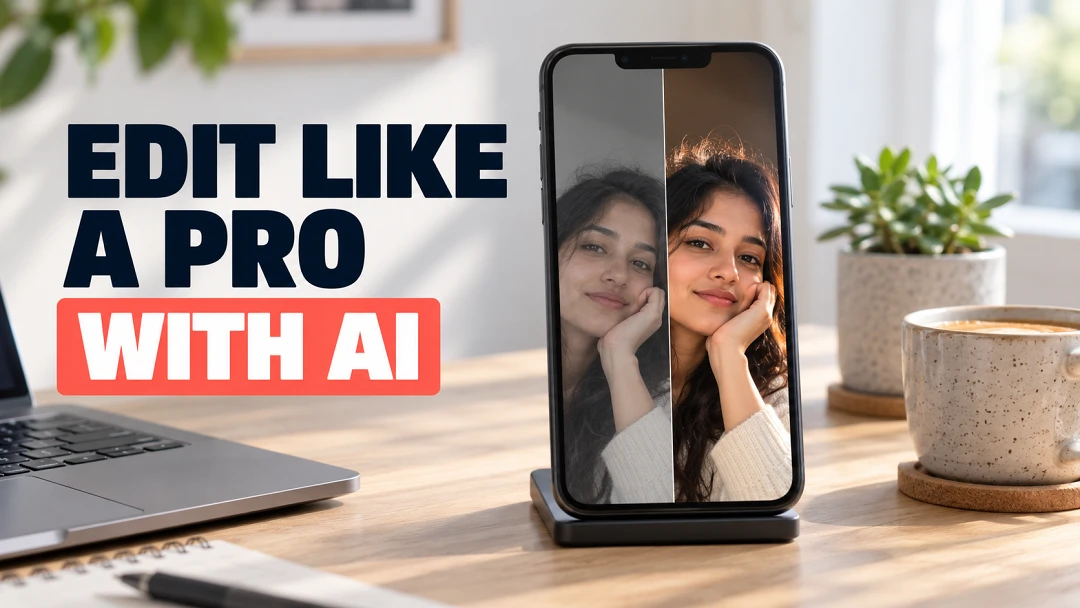
A phone on a desk showing a split before and after portrait edit beside a laptop and coffee cup, with a bold headline on the left
The output this prompt produced, unedited.

The prompt

Must hold

No people in the room; the only person is the small portrait inside the phone screen. The words are exactly those below and nothing else.

Text

  • "EDIT LIKE A PRO"
  • "WITH AI"

The picture

A still life with no people. A smartphone stands on a small stand on a pale oak desk, its screen split down the middle: on the left a dull, flat selfie, on the right the same selfie edited with clean cinematic light. A laptop, a ceramic coffee cup and a small succulent around it. "EDIT LIKE A PRO" in a bold dark navy sans serif on the left third, "WITH AI" below it in a bright coral block.

Technical

Soft daylight from a window on the right, clean neutral colour, crisp screen detail, shallow depth on the background.


Negative prompt

misspelled text, extra words, app logos, brand names, cluttered desk, orange grade, people in the room, watermark

blog thumbnailblog cover imageai photo editingfeatured imagetutorial thumbnail

How to run this

Copy the prompt and paste it into GPT Image, then set the aspect ratio to 16:9. No reference photo is needed for this one.

The prompt is written in Markdown with each part under its own heading, which is what the copy action hands over. Change one section at a time, keeping the rest intact, so you can tell which change did the work.

Related prompts

All productivity