wowprompt

Restore and hand-tint a 1970s studio wedding photograph

Repairs a cracked, faded black and white wedding photo from the 1970s and finishes it with subtle hand-tinted colour the way studios did then. Attach the old photo. Works with your own photo.

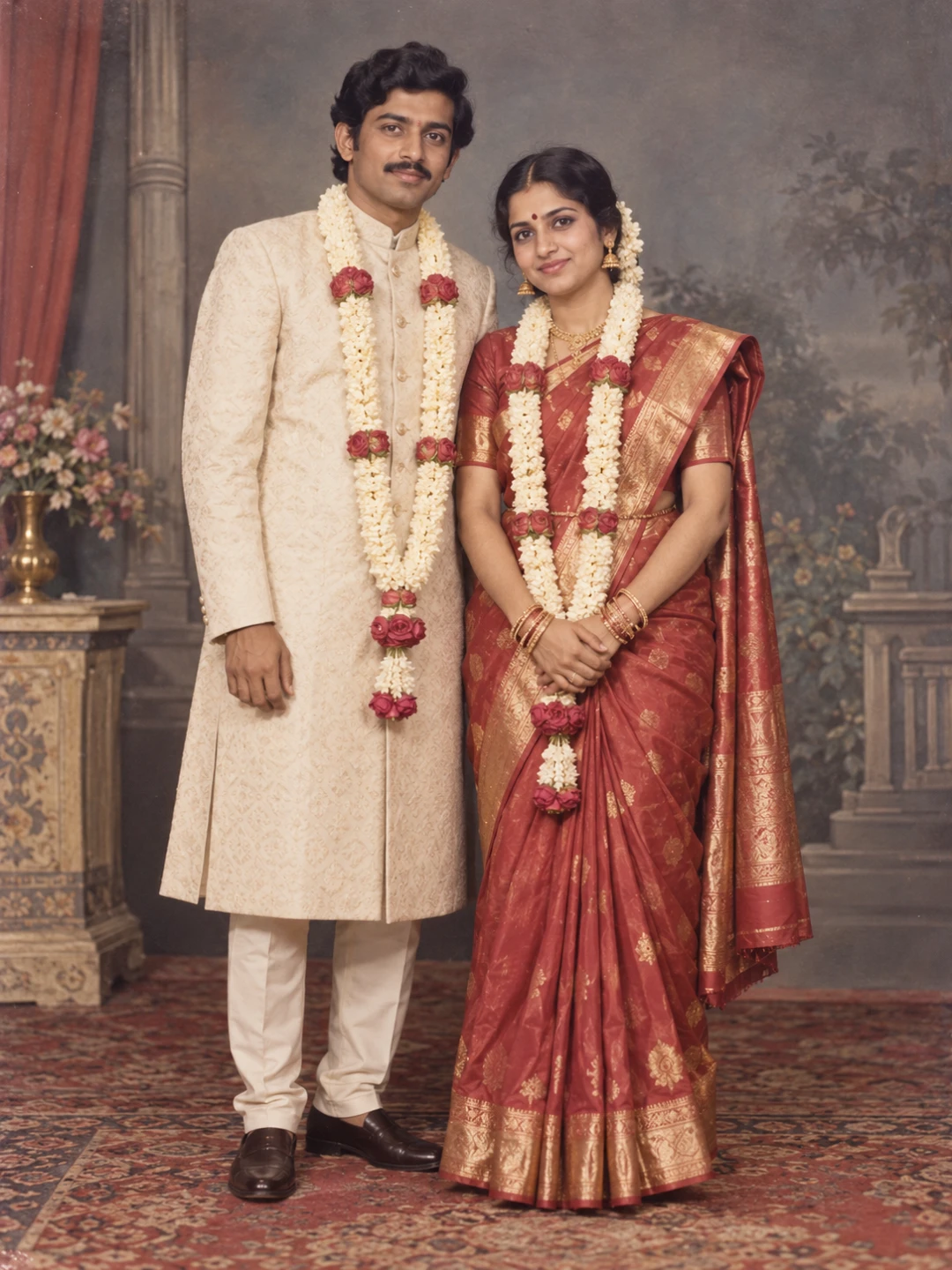
A restored 1970s studio wedding photograph of a bride and groom with subtle hand-tinted colour on the saree, garlands and faces
The output this prompt produced, unedited.
Works with or without your photo.

Optional. Attach a clear, front-facing photo to keep your own face. Without one, the prompt creates an original person.

The prompt

Logline

Restore a damaged 1970s studio wedding photograph and finish it with soft hand-tinted colour.

Identity

With a photo attached: the people in the photo are the subjects. Keep every face exactly as it is, with bone structure, eye shape and spacing, nose, lips, jawline, hairline, skin tone and apparent age all unchanged. Repair only the damage; do not beautify or modernise anyone.

Subject

The couple standing side by side in a studio pose, garlands round their necks.

Repair

Remove cracks, folds, stains and dust; rebuild missing corners; restore sharpness on eyes and fabric without adding fake detail.

Set

The original painted studio backdrop and carpet, kept as they were.

Grade

Hand-tinted look: soft rose on cheeks and lips, a muted red saree with gold border, pale marigold garlands, the rest in gentle warm-grey monochrome. Keep a fine film grain and paper texture.


Negative prompt

changed faces, modern clothing, plastic skin, airbrushed, oversaturated colour, digital sharpness, new background, orange cast, text, logo, watermark

photo restorationold photo repaircolourise old photowedding photo restorationhand tintedvintage photo

How to run this

Copy the prompt and paste it into GPT Image, then set the aspect ratio to 3:4. Upload your reference photo before pasting, not after: a model that has already started without it will invent a face instead of keeping yours.

The prompt is written in Markdown with each part under its own heading, which is what the copy action hands over. Change one section at a time, keeping the rest intact, so you can tell which change did the work.

Related prompts

All image