wowprompt

Three-stage layered restoration of a 1970s couple portrait

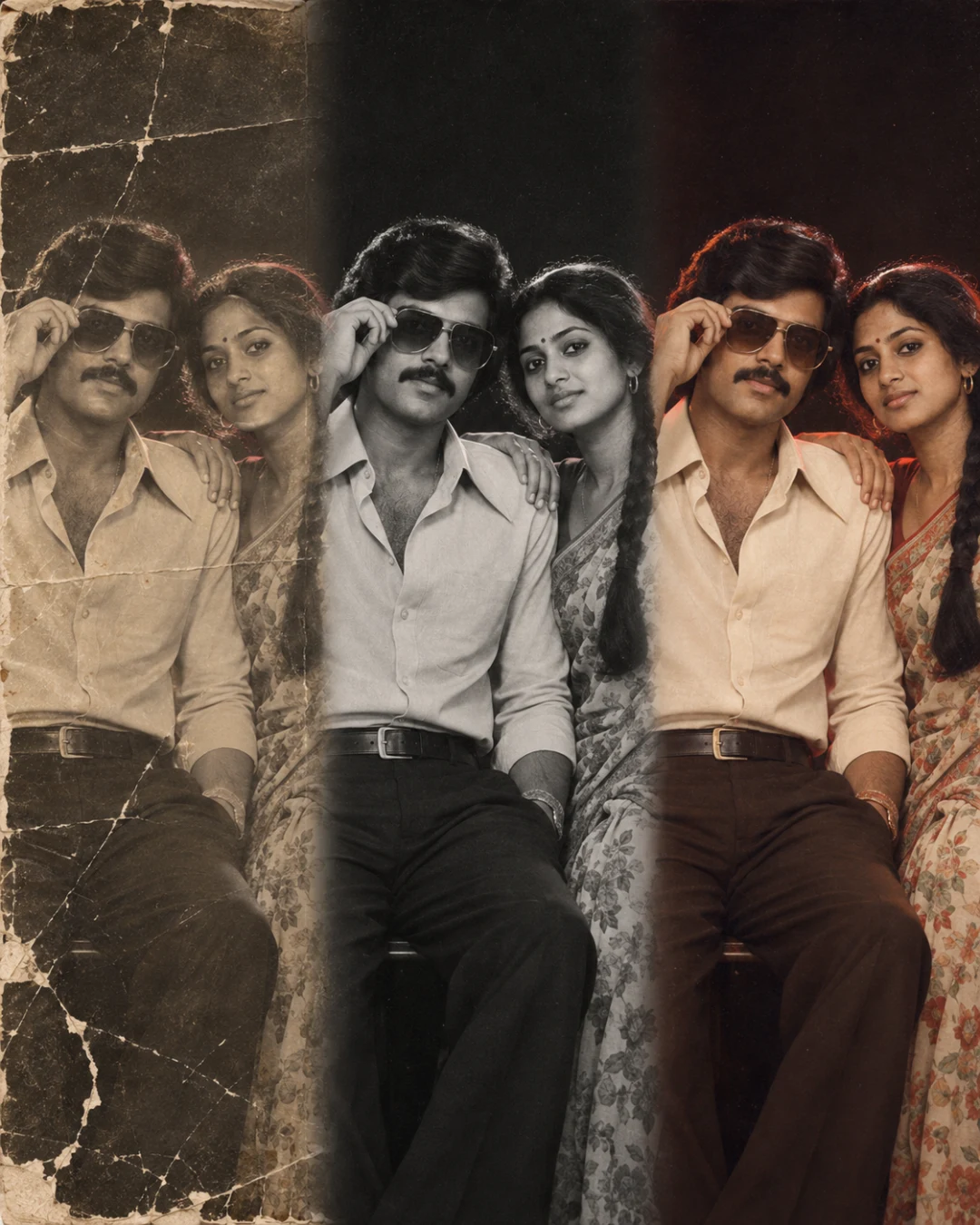
One old couple photo shown in three blended layers: the damaged original, the clean restored print and the gently colourised version, faces identical throughout. Made to share a grandparents' youth photo with its story. Works with your own photo.

A 1970s studio photo of a young couple shown in three blended bands, faded and torn at left, restored in the centre and colourised at right
The output this prompt produced, unedited.
Works with or without your photo.

Optional. Attach a clear, front-facing photo to keep your own face. Without one, the prompt creates an original person.

The prompt

Subject

A 1970s studio portrait of a young couple shown three times across one frame, blended seamlessly from left to right: as found, restored, and colourised.

Identity

With a photo attached: the photo attached is the one to restore, and the people in it are the subjects. Keep every face exactly as it is, with bone structure, eye shape and spacing, nose, lips, jawline, hairline, skin tone, expression and apparent age all unchanged, in all three layers. Only the damage and the colour change.

Pose

Side by side, he adjusting large sunglasses with one hand, she with a hand on his shoulder.

Wardrobe

He in a wide-collar shirt; she in a printed chiffon saree.

Setting

A plain black studio backdrop.

Light

A deep red rim from behind, a soft warm key on the faces.

Camera

The same frame and perspective in every layer, a 50mm f/1.4 look at eye level.

Finish

Left third: faded, creased and torn. Centre: clean black and white. Right third: soft pastel colour, creamy highlights, grain kept. Soft vertical blends between them.


Negative prompt

changed faces, different faces between layers, aged faces, beautified faces, added smiles, new clothing, hard seams, oversaturated colour, airbrushed skin, plastic skin, waxy face, distorted hands, extra fingers, text, logo, watermark, signature

old photo restorationbefore and aftercolourise photo1970sgrandparentscouple photo

How to run this

Copy the prompt and paste it into GPT Image, then set the aspect ratio to 4:5. Upload your reference photo before pasting, not after: a model that has already started without it will invent a face instead of keeping yours.

The prompt is written in Markdown with each part under its own heading, which is what the copy action hands over. Change one section at a time, keeping the rest intact, so you can tell which change did the work.

Related prompts

All image